THE PROBLEM WITH LIGHTNING AS YOUR CUSTOMER INTERFACE
Salesforce's Customer 360 promise is compelling: a single source of truth for every customer interaction, across sales, service, marketing, and commerce. The data model is mature, the automation layer is powerful, and if your business runs on Salesforce, the 360-degree view is genuinely there — buried inside your org.
The problem is the interface. Lightning Experience is built for internal users: sales reps, service agents, operations teams. It carries 25 years of CRM assumptions about workflows, page layouts, and user roles. When you try to surface that customer data to external users — a branded partner portal, a customer self-service hub, a field technician app, a real-time operations dashboard — Lightning's constraints become visible fast.
Experience Cloud helps, but it has its own ceiling. You're still working inside Salesforce's component model, styling constraints, and page builder paradigm. The moment a client says "we need this to feel like our product, not a Salesforce portal," you're fighting the framework instead of building.
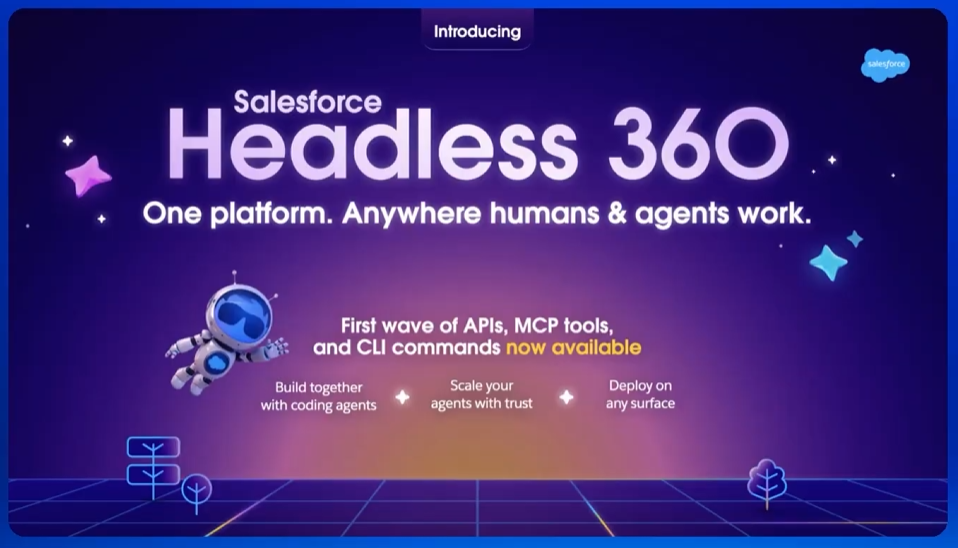
Headless 360 is the architectural pattern that resolves this tension: Salesforce owns the data, the business logic, and the automation. A purpose-built frontend owns everything the user sees and touches.
WHAT HEADLESS 360 ACTUALLY MEANS
In a headless architecture, the "head" — the UI — is decoupled from the system of record. Salesforce becomes a backend API rather than a complete application. Your frontend calls Salesforce for data and writes changes back, but the rendering, routing, state management, and user experience are entirely yours.
The "360" part means the frontend isn't reading from a single Salesforce object — it's assembling a complete view of the customer by querying across the full data model: Account, Contact, Cases, Opportunities, Orders, custom objects, interaction history, everything. The 360-degree view that your internal team sees in Lightning is now available in the exact shape and interface that serves your specific use case.
In practice this is what a Headless 360 stack looks like:
- Salesforce org — source of truth for all customer data and business logic. Apex handles complex operations. Flows handle automation. Permission sets control what each Connected App can access.
- API layer — either Salesforce's REST API directly, the GraphQL API (now GA), or a thin middleware layer that composes multi-object queries and handles auth token management.
- Frontend application — React, Next.js, or whatever fits the team and use case. Talks to Salesforce through the API layer. Has no knowledge of Salesforce's UI conventions.
AUTHENTICATION: THE PART THAT TRIPS PEOPLE UP
Auth is where most headless Salesforce projects get complicated, and where bad early decisions compound into long-term pain.
Salesforce uses OAuth 2.0, exposed through Connected Apps. The flow you choose depends on who is authenticating:
- Server-to-server (JWT Bearer Flow) — for backend services that need to access Salesforce without a user in the loop. The service authenticates with a private key, gets an access token, and makes API calls on behalf of a service account user. Fast, stateless, and the right choice for data sync, integrations, and background jobs.
- User-facing (Auth Code + PKCE) — for customer portals and partner apps where the user authenticates with their own Salesforce credentials or a Salesforce-connected identity provider. The frontend initiates the OAuth flow, exchanges the code for tokens, and the API calls are scoped to that user's permissions.
- Named User + session management — for internal tools where your employees are the users but you want a custom UI. Users log in via SSO into your app, and the backend exchanges their session for a Salesforce token using the JWT flow on their behalf.
The token management layer is unglamorous but critical. Access tokens expire in one hour. Your architecture needs to handle refresh silently, queue requests that arrive during refresh, and fail gracefully when refresh itself fails. We've seen more headless Salesforce apps break on token edge cases than on anything else.
QUERYING THE 360 VIEW
The Salesforce REST API is well-documented but chatty by default. Fetching a customer 360 view naively — one API call per object — produces 8–12 sequential round trips and a slow UI. The query design matters.
Three patterns we rely on:
- SOQL with relationship queries — Salesforce's REST API accepts SOQL directly via
/services/data/vXX.X/query?q=.... A single well-written SOQL query can traverse parent-child relationships and return a complete object graph in one call. Most teams underuse this, defaulting to per-object calls out of habit. - Salesforce GraphQL API — GA since 2023 and a genuine improvement for complex data fetching. Lets the client specify exactly the shape of data it needs across multiple objects in one request. Still has limitations around complex SOQL features (aggregates, GROUP BY) but covers the majority of read use cases cleanly.
- Composite API — for write operations that need to update multiple related records atomically. The Composite API batches up to 25 subrequests into a single HTTP call and supports referencing the output of one subrequest in a subsequent one. Essential for creating a Case with related records in one round trip.
For the 360 view specifically, we typically build a thin aggregation endpoint in our middleware layer that makes one GraphQL call to Salesforce and returns a normalized customer object to the frontend. The frontend gets everything it needs in one fetch, and the query complexity stays server-side.
REAL-TIME DATA: STREAMING AND PUSH
The read-only 360 dashboard is the easy case. Things get more interesting when the UI needs to reflect changes as they happen — a support ticket just escalated, a field service technician just marked a job complete, an order status just changed.
Salesforce offers two mechanisms for real-time data:
- Platform Events — Salesforce's internal pub/sub system. Your Apex or Flows publish events; external subscribers (including your headless app via the Streaming API or CometD) receive them. Useful for case updates, order state changes, and any event-driven notification.
- Change Data Capture (CDC) — Salesforce automatically publishes change events for standard and custom objects whenever a record is created, updated, deleted, or undeleted. Your app subscribes to the CDC channel for an object and receives granular field-level change payloads. Ideal for keeping a read-optimized data store in sync without polling.
For customer-facing apps, we typically use CDC to maintain a lightweight, queryable cache (Redis or a read-optimized Postgres table) that the frontend reads from. The cache stays in sync via CDC events. This eliminates API rate limit pressure on the Salesforce side and gives the frontend sub-10ms read latency on the 360 view.
WHEN NOT TO GO HEADLESS
Headless 360 is the right architecture for a specific set of problems. It's not the right answer for everything, and we've turned down projects where clients wanted it for the wrong reasons.
Don't go headless if:
- Your users are internal Salesforce users. Lightning is built for this. Custom LWCs and flexible page layouts give you significant UI control without leaving the platform. The cost and complexity of a separate frontend is rarely justified.
- You need deep Salesforce feature integration. CPQ, Field Service Lightning, and some Marketing Cloud features have deep UI dependencies. Replicating these headlessly is a large, ongoing engineering commitment.
- Your team doesn't have frontend depth. A headless architecture is only as good as the frontend engineering that builds on top of it. A mediocre headless implementation is worse than a well-configured Experience Cloud site.
- You're solving a styling problem. If the issue is that your Experience Cloud site doesn't look the way you want, the answer is usually better LWC components or a custom theme — not a full architectural decoupling.
The signal that headless is right: your use case genuinely needs a frontend that Salesforce's UI model can't deliver. A mobile app for field technicians. A real-time customer portal with bespoke UX. A data-dense operations dashboard with custom visualizations. A multi-brand portal that needs to look like three different products. If the requirement is fundamentally about owning the user experience, headless is the right call.
THE TRADEOFF IN ONE SENTENCE
You get total frontend freedom and Salesforce's full data and logic platform — in exchange for owning the integration layer, the auth stack, the token management, and the operational complexity that Experience Cloud would otherwise handle for you.
For the right use cases, it's a trade worth making. For the wrong ones, it's a lot of plumbing for a problem that didn't need it.